
Sync All Your AI Coding Tools in One Click
Tired of copying MCP configs between Claude Code, Cursor, and Codex? Vibe Manager auto-converts formats, syncs in one click, and backs up every change.
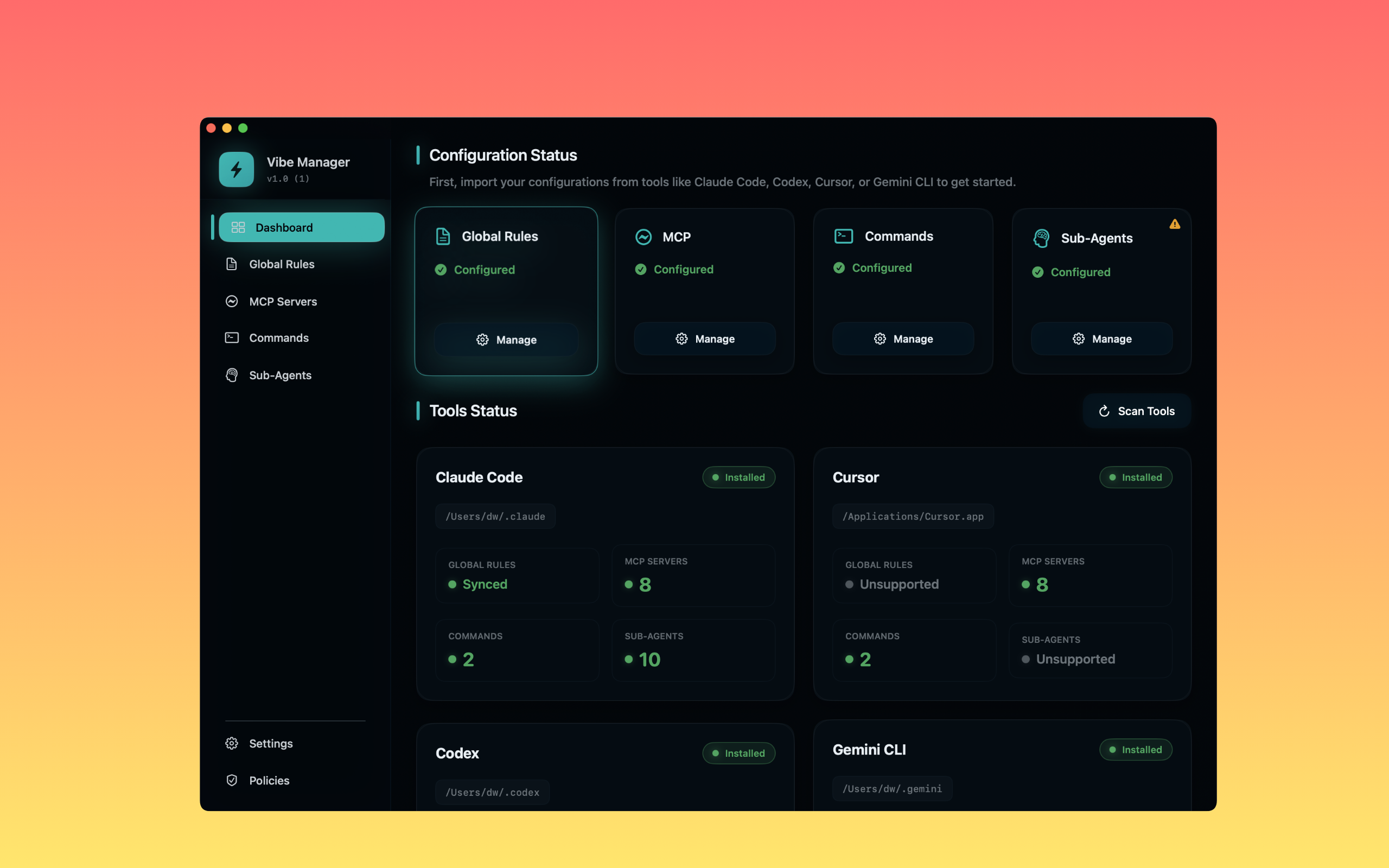
Tired of the Config Chaos?
You're not alone. Developers waste hours on this.
Repetitive Work
Configured Claude's MCP in the morning? Do it again for Codex in the afternoon.
Format Chaos
Claude uses JSON, Codex uses TOML, Cursor has its own format. Constantly checking docs.
Sync Conflicts
Updated Claude rules but forgot to sync to Cursor? Tools behave differently.
No Backups
Accidentally overwrote a config file? No rollback, start from scratch.
The Solution: One Hub to Rule Them All
Vibe Manager streamlines your entire AI tool configuration workflow, turning hours of tedious work into a single click.
From "edit 4 times" to "edit once" — save 80% of your time.
Maintain one master configuration in Vibe Manager. When you're ready, click sync, and it instantly auto-converts and pushes the correct format to all your connected tools.
One-Click Sync To:
- Claude Code
- Cursor
- Codex CLI
- Gemini CLI
Manage All Your Dev Rules in One Place.
A simple, intuitive UI to manage all your development rules. Configure everything once, and let Vibe Manager handle the complexity of different formats and locations.
MCP Configs
Define your meta-level instructions and coding principles.
Rule Sets
Manage detailed rule sets for linters and style guides.
Slash Commands
Create and sync custom commands for quick actions.
Get Started in 3 Simple Steps
Install & Auto-Detect
Download Vibe Manager, and it auto-detects installed AI coding tools on first launch.
Import or Create
Import existing configs or manage MCPs, rules, and commands in the visual UI.
One-Click Sync
Click "Sync", select target tools, and you’re done!
Simple, Honest Pricing
One-time purchase. No subscriptions, no hidden fees.
Vibe Manager Pro
One-time payment, lifetime access.
- Lifetime access to all features
- Free updates forever
- Sync unlimited tools
- 100% local and private
Frequently Asked Questions
Which tools are supported?
Currently supports Claude Code, Cursor, Codex CLI, Gemini CLI. More tools (GitHub Copilot, Trae, etc.) coming based on user feedback.
Will it overwrite my existing configs?
Yes, but you'll get a confirmation prompt before syncing, and every write creates a timestamped backup for easy rollback.
Which platforms are supported?
macOS only for now (available on the App Store). Windows and Linux versions are in development, expected Q1 2025.
Where is my data stored?
Everything stays on your machine under ~/.vibemanager/. Backups are stored locally and never touch the cloud.
Ready to Stop Editing Configs 4 Times?
Get your time back. Focus on what matters: writing code.
Download Vibe Manager Now