February 21, 2026
Adding Custom Skills to Gemini CLI and Codex: A Marketplace Approach
Terminal users rejoice! Learn how to source and install high-quality agent skills for command-line AI tools using SkillMap.
#gemini
#cli
#codex
Guides, tutorials, and tips for mastering MCP configurations and AI coding tools.
Terminal users rejoice! Learn how to source and install high-quality agent skills for command-line AI tools using SkillMap.
Turn Claude from a chatbot into a full-stack agent. Discover the best plugins and skills on SkillMap.net and install them in seconds.
Step-by-step tutorial: How to find, verify, and install secure MCP skills into Cursor IDE using SkillMap and Vibe Manager.
How to strictly limit which directories your AI tools can read and write to prevent accidents.
Spin up, inspect, and manage Docker containers using natural language commands through an MCP server.
How to check ticket status and review code without leaving your IDE chat interface.
Give your local Claude instance real-time web access without paying for premium subscriptions.
Turn your second brain into a knowledge base for your AI coding assistant using the File System MCP server.
The benefits of keeping your configurations, context, and vector indices local rather than in the cloud.
Include AI tool configurations in your dotfiles or setup scripts for instant environment reproduction.
How to distribute standard MCP configurations to your team to ensure everyone has the same AI capabilities.
Context switching kills productivity. See how unifying your AI toolset keeps you in the flow state.
How to combine Vibe Manager, Claude, and Cursor for a seamless, high-velocity coding experience.
Give your AI assistant read/write access to your local database for smarter SQL generation and data analysis.
Learn how to use the official MCP Inspector tool to visualize and troubleshoot client-server communication.
How to ensure your local MCP servers don’t expose sensitive data or create vulnerabilities in your dev machine.
A developer guide to building type-safe MCP servers using the official TypeScript SDK.
Want to connect a custom internal tool to Claude? Learn how to write a simple MCP server in Python.
Troubleshooting "Connection Refused", "Invalid JSON", and other common headaches when setting up MCP servers.
Different tools use different config formats. Learn how to convert between them automatically without syntax errors.
Don’t lose your carefully tuned prompts and server configs. Learn how to automate backups for your AI development environment.
Best practices for handling different toolsets for different projects without configuration conflicts.
A guide for power users: extending OpenAI Codex CLI capabilities using local MCP server integrations.
Did you know Gemini CLI supports MCP? Here is how to configure it for advanced terminal-based AI workflows.
We tested MCP on both platforms. Here are the differences in configuration, performance, and supported features.
Learn how to enable Model Context Protocol support in Cursor to supercharge your AI code generation.
Step-by-step tutorial on configuring claude_desktop_config.json to give Claude access to your local files and tools.
A curated list of the best open-source MCP servers for PostgreSQL, GitHub, File System access, and more.
How protocols like MCP are breaking down walled gardens and allowing developers to switch tools without losing context.
Stop copy-pasting context. Discover how MCP enables real-time, dynamic access to your codebase, databases, and APIs.
Deep dive into the client-host-server architecture of the Model Context Protocol. Learn how data flows between your IDE and local resources.
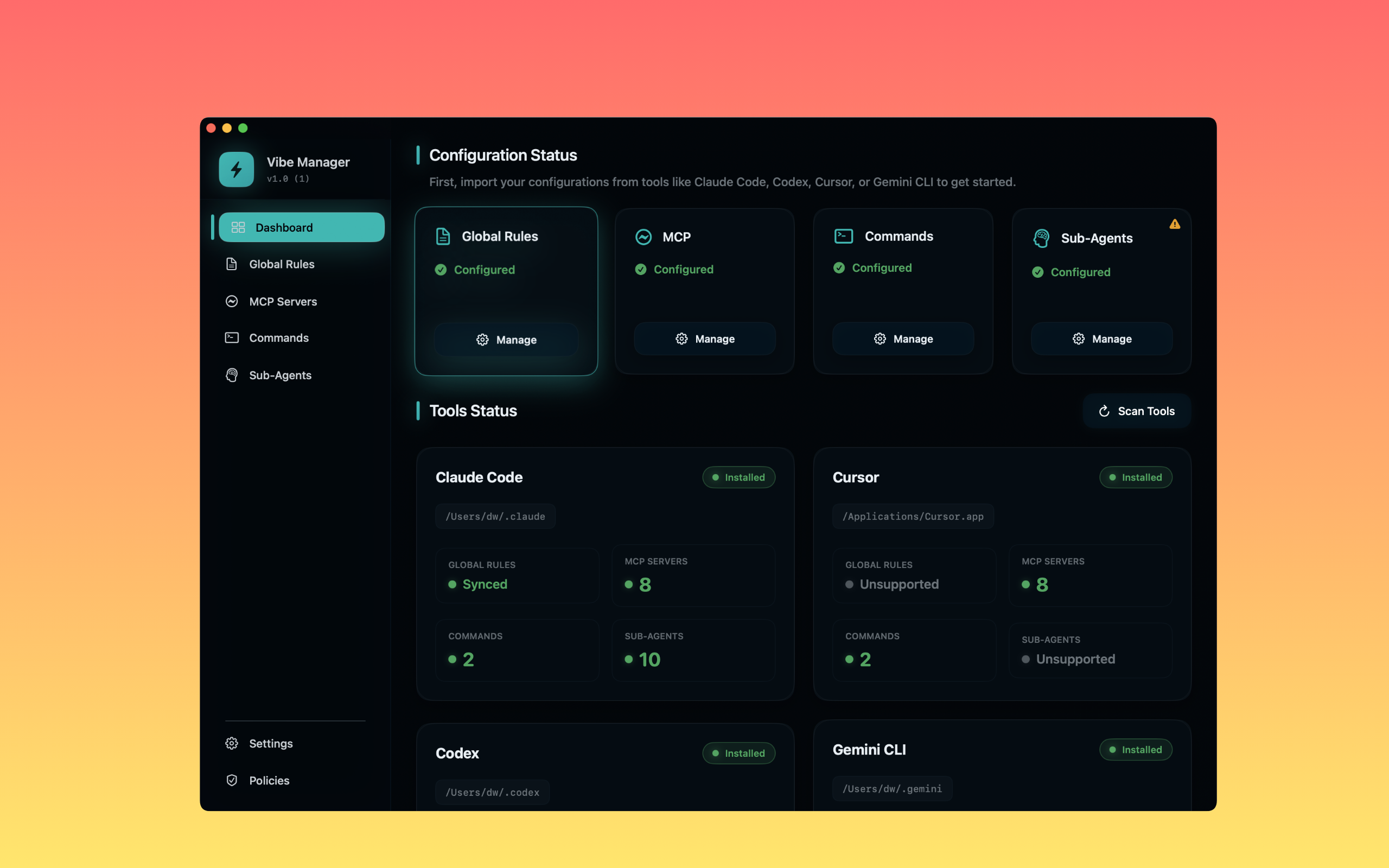
Stop manually editing JSON files. Learn how to automatically sync your MCP server setup between Claude Desktop and Cursor.

Understand the open standard connecting AI models to your data. Learn how MCP works, why it matters, and how it powers tools like Claude and Cursor.